From plan set to bid-ready quantities in minutes.
Bildrix reads your drawings, counts every room, door, window, and wall, and flags anything it’s not sure about. You check only what needs checking.
The actual product, recorded — sound on
Straight out of the app.
Untouched screenshots from a demo project — the workspace, the documents, and the ledger you’d actually work in.
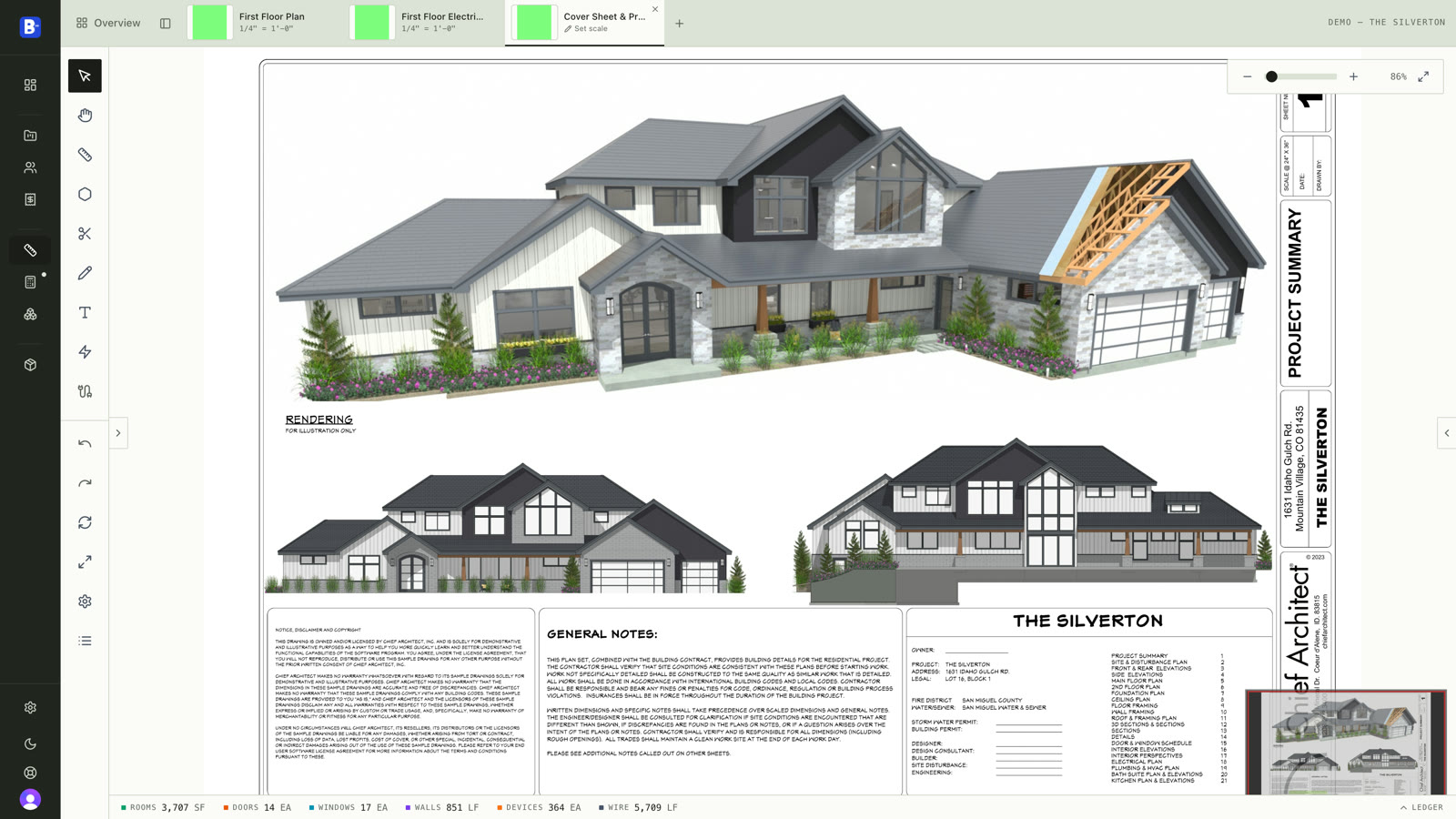
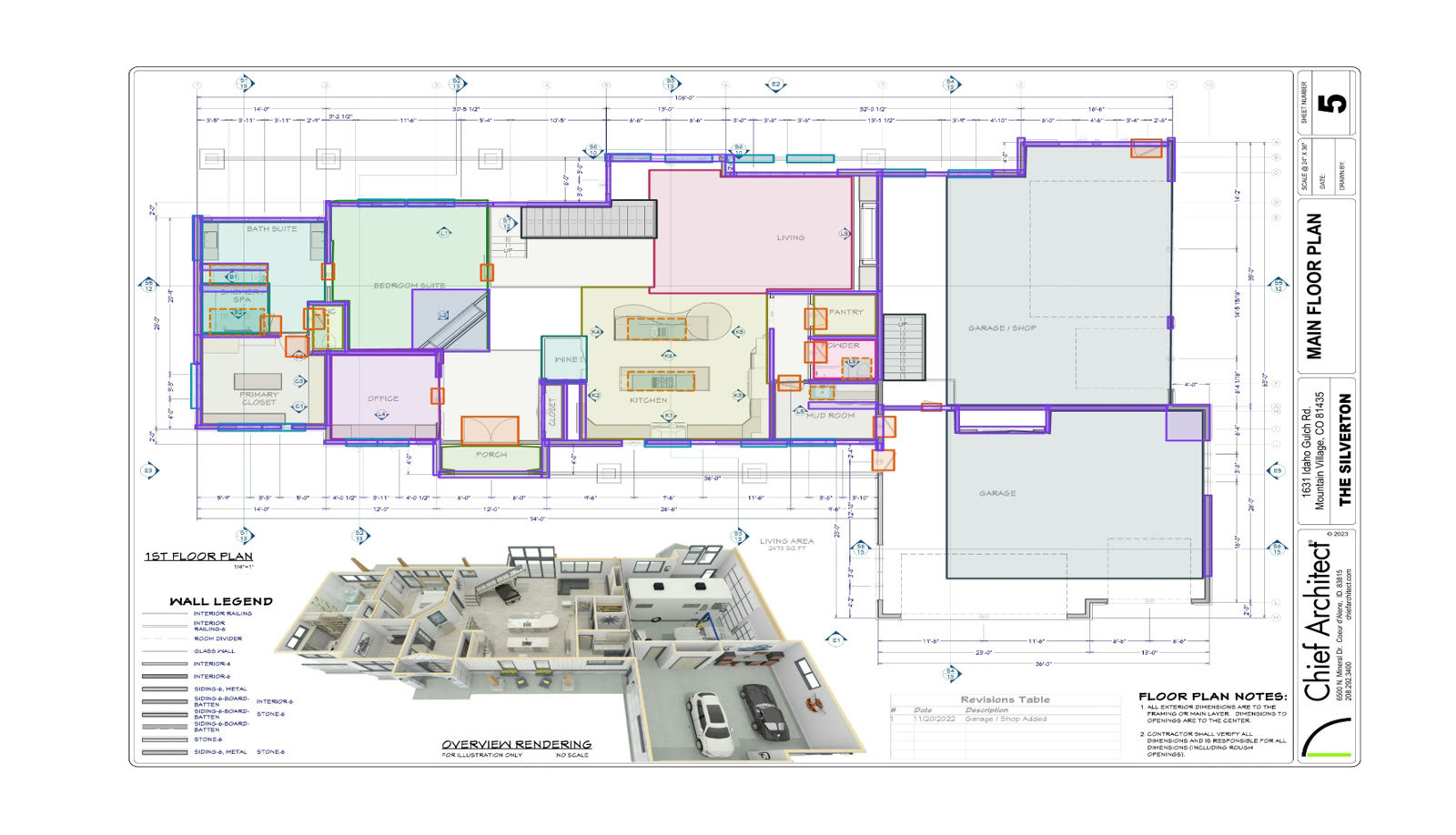
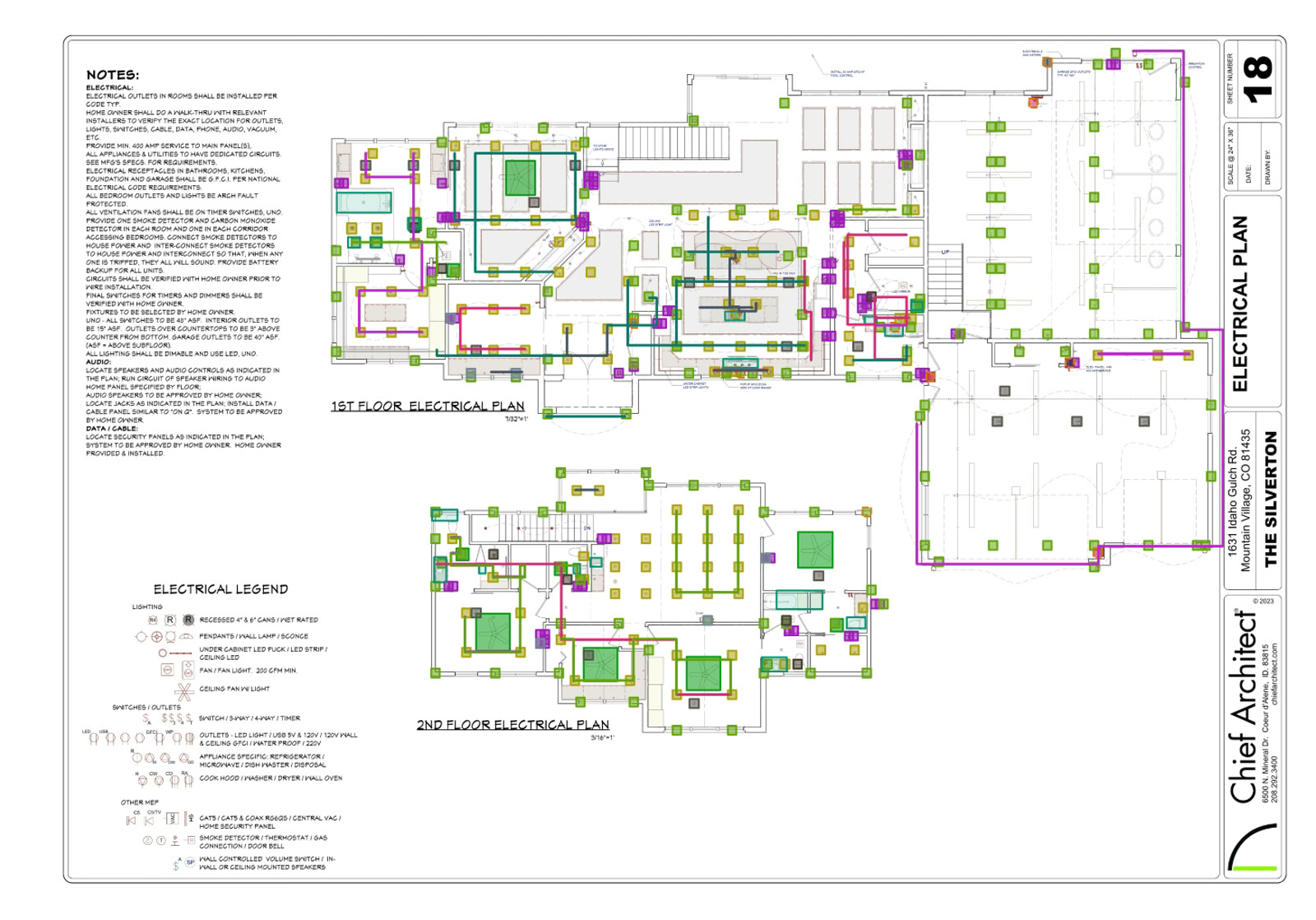
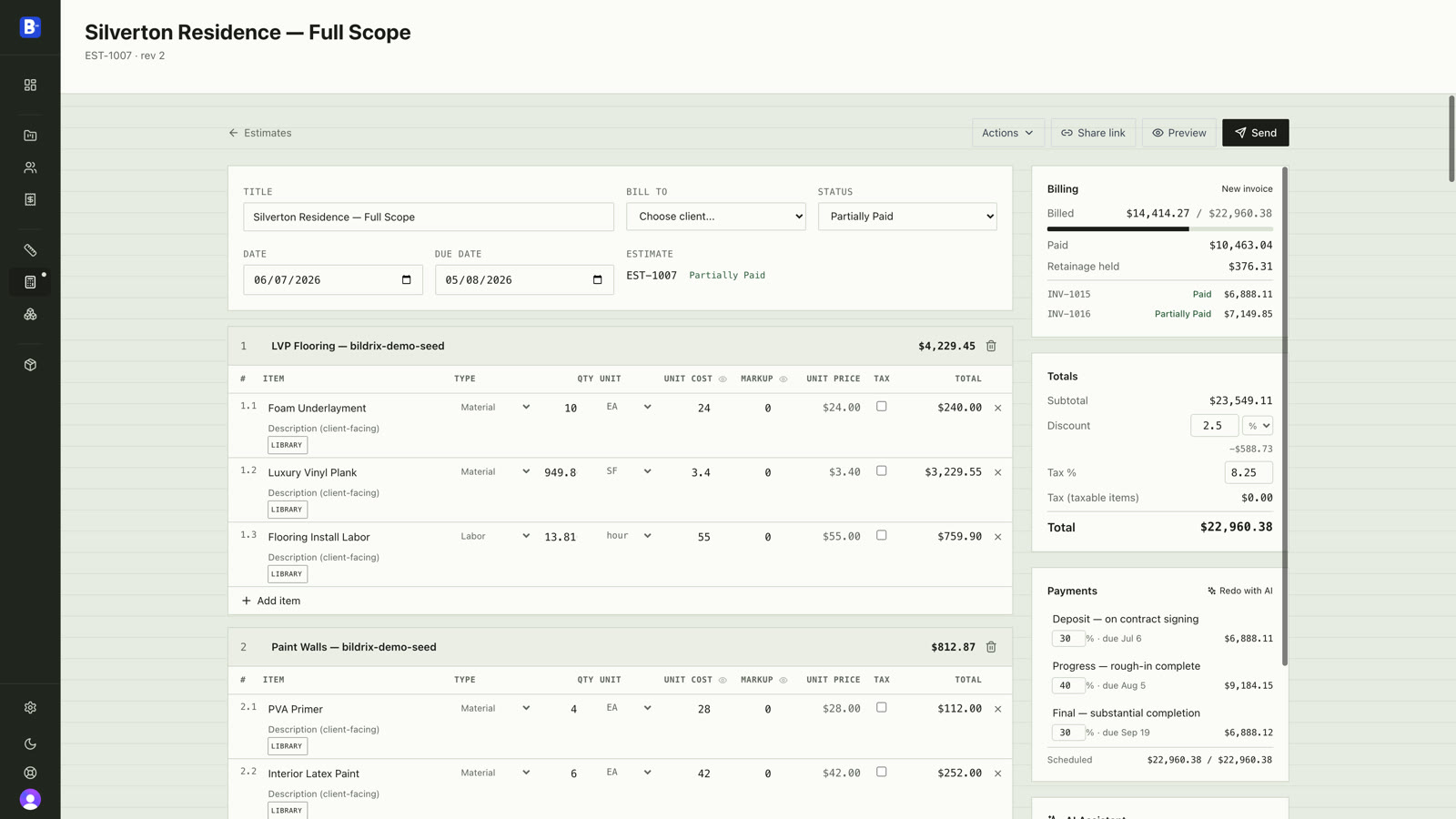
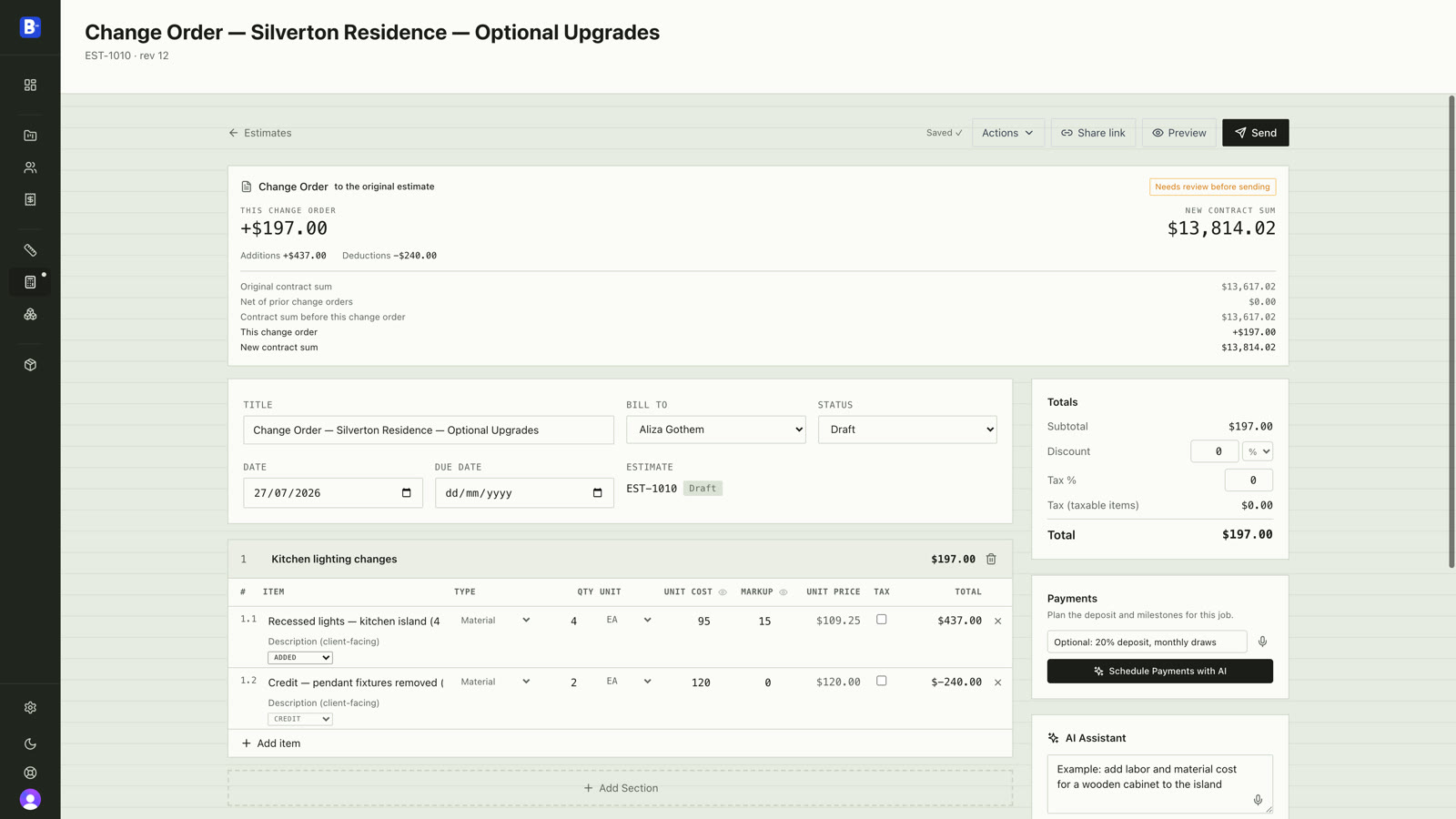
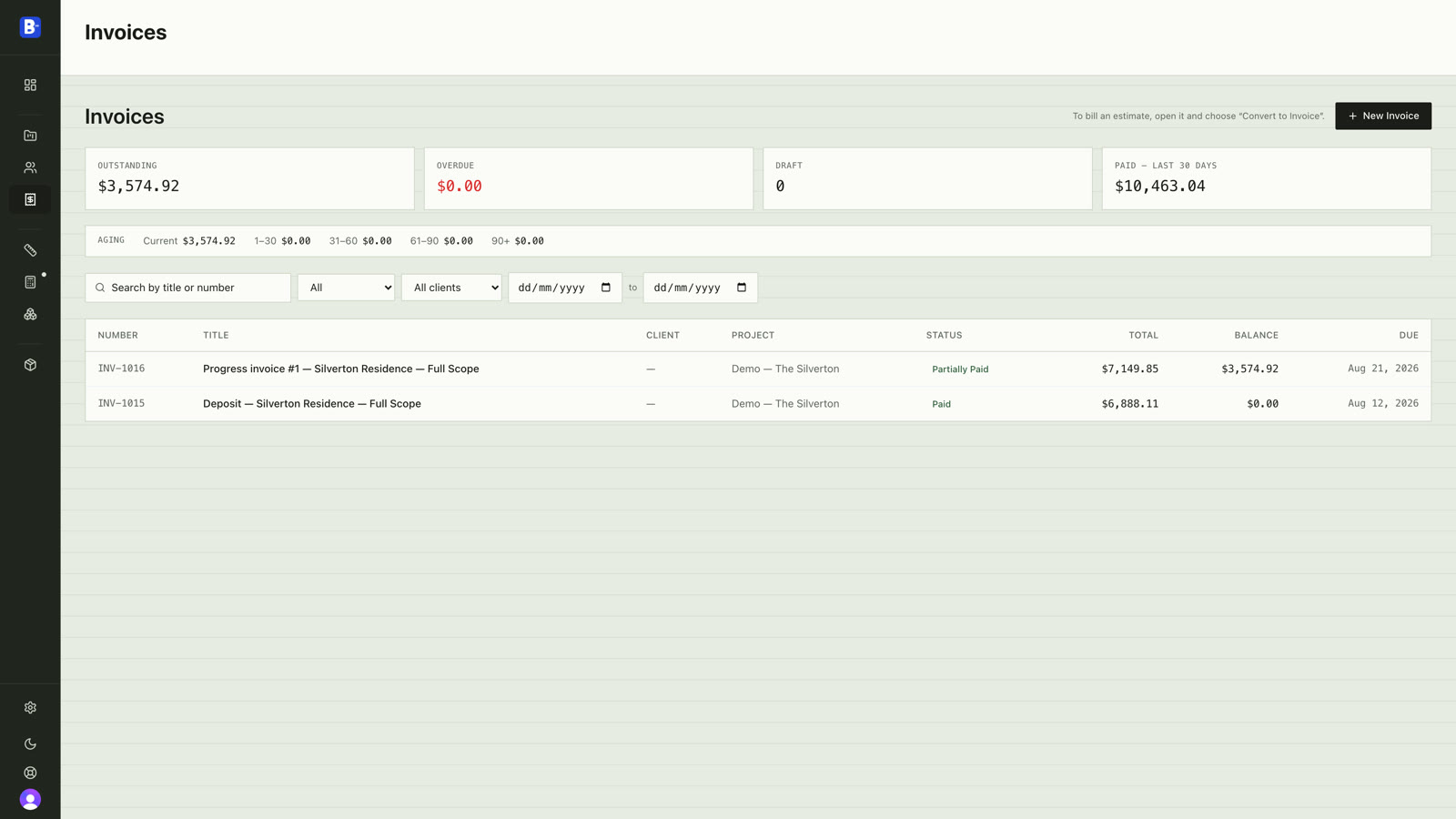
Three steps between the PDF and the bid.
Takeoff eats days, and a missed quantity either loses the bid or eats the margin. Bildrix does the first pass and shows you exactly where to look.
Upload your plan set
Drop in the PDF. Pages are classified by trade and sheet type, so a 25-sheet set doesn't need sorting by hand.
AI does the first pass
Rooms, doors, windows, and walls on floor plans — devices on electrical sheets. Detected, named, and measured in EA, SF, and LF. Minutes, not days.
You review what's flagged
Low-confidence detections are queued for review. A to accept, X to reject, Tab to jump to the next flag. Totals update live, then export to Excel or PDF.
AI that shows its work.
Other tools quote an accuracy number and hide the misses. So estimators re-check every wall anyway, and the time savings evaporate. Bildrix attaches a confidence level to every detection. Sure things render solid. Uncertain items are flagged, outlined, and queued. You verify the ten items that need eyes, not the two hundred that don’t.
Built for the way estimators actually work.
Takeoff is step one. Pricing, the estimate, the signature, the change order, and the invoice live in the same place.
Kitchen, not polygon 12
Rooms, doors, windows, and walls detected, named, and measured across the full sheet. Anything the AI isn't sure about is flagged for review.
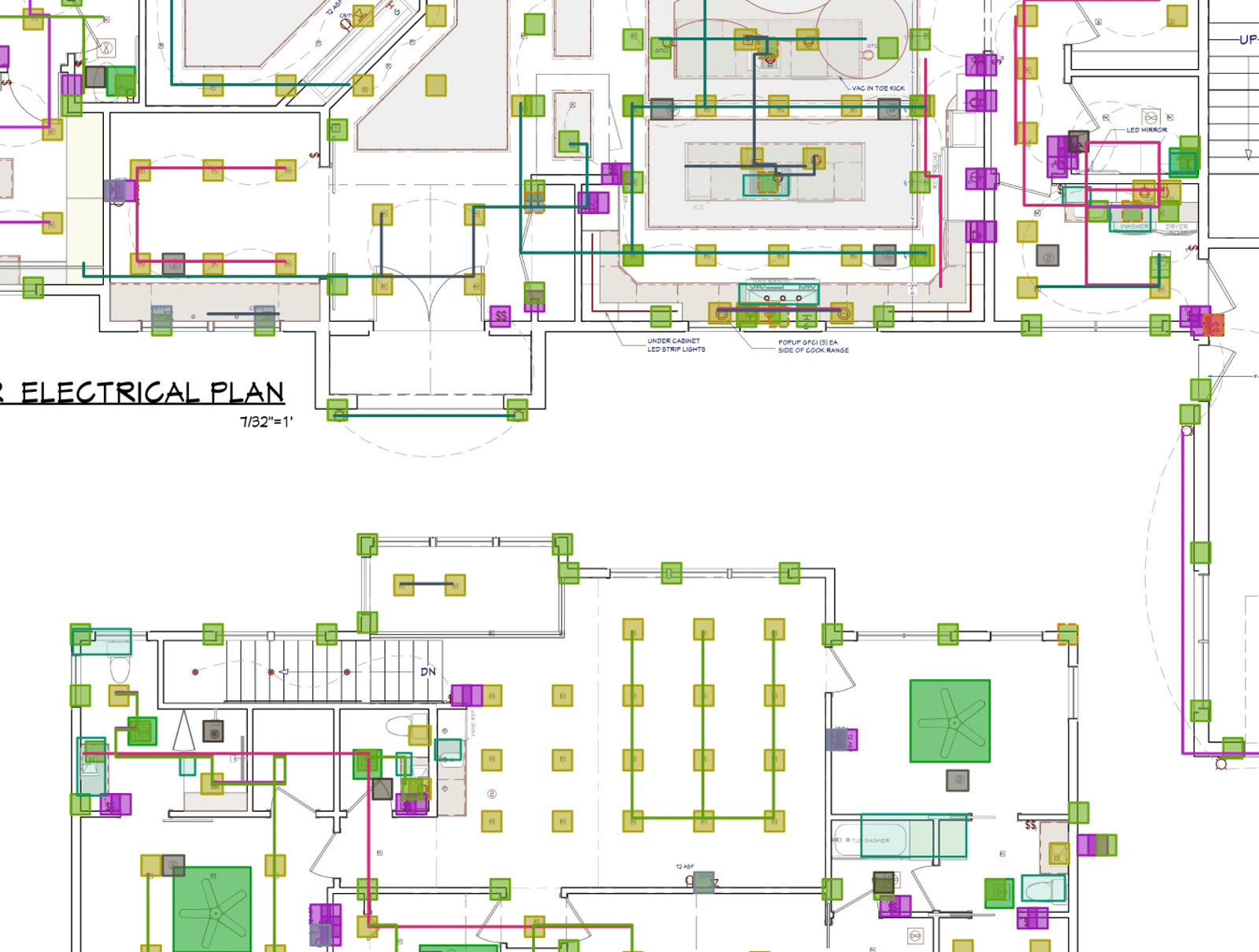
Devices, then the wire
Symbols counted from the sheet's own legend. Draw wire runs with a live footage readout, or let AI suggest connections — review them A, X, Tab.
Cmd+F for blueprints
Type it and matches light up on the sheet, with live counts across the set. Or crop a legend symbol and find its matches across the sheet.
Quantities become prices
Apply assemblies from your price book, or let AI suggest them — every match comes with a rationale and a price preview you accept or reject.
Every line shows its source
Estimates draft from the measured takeoff. Each line is tagged — your library price, AI-estimated price, AI-estimated quantity. No black boxes.
Send it. They sign it.
Clients read, comment, and e-sign from one link on any device. The signed PDF is sealed at signing — every download is the same bytes.
Rev B, diffed
Upload the revised set. Sheets pair by drawing number, quantities diff, and accepted changes stage an AIA G701 change order. Reductions book as credits.
Deposit to retainage
Convert the estimate — deposit, progress billing, final, or retainage release. Payments log against it, and a deposit can't double-bill.
Excel, PDF, QuickBooks
Quantities, estimates, and invoices export with names, units, and sheet references intact. Invoice CSVs come shaped for QuickBooks import.
The trades Bildrix takes off today.
Depth is stated per trade, not implied. If it isn’t listed here, Bildrix doesn’t take it off yet.
Rooms, doors, windows, walls
Detected at upload, named from the drawing's own labels, measured in SF, EA, and LF, and priced through your assembly library.
The deepest trade
Legends read, devices counted, wire runs drawn or AI-suggested with live footage, circuits grouped. Devices and wire get their own ledger.
Fixture counts, on demand
Fixture detection runs when you ask — one button, or part of Detect All. Counts land in the takeoff like any other quantity.
Draw a run, or let AI suggest the whole circuit.
Wire runs snap to devices and elbow orthogonally, with a live footage readout as you draw. AI drafts switch legs, receptacle chains, and homeruns — you review them A, X, Tab, and drag any accepted route like you drew it yourself. Devices and wire land in their own ledger rows.
Takeoff tools stop at quantities. Bildrix keeps going — the estimate, the signature, the change order, the invoice. One thread from plan set to invoice.
Now onboarding early partners.
Bildrix is built by a small team that has sat through bid-day scrambles. We’re onboarding a handful of small estimating teams — residential GCs and electrical contractors first — as founding partners: you get a direct line to the people writing the code, and the roadmap bends toward the trades you take off every week. If the first pass doesn’t save you time on your real plans, tell us and we’ll fix it or say so.
Notes on takeoff and estimating.
What Is AI Construction Takeoff Software? The Complete Guide for 2026
What AI takeoff software does, how the first pass works, who it fits, and how to evaluate a tool honestly — for the subs and small GCs who review every number before it goes in a bid.
Read article →How AI Reads Construction Blueprints: Computer Vision for Contractors
How AI actually reads a plan set — geometry, symbol recognition, and text, reconciled against the sheet scale — why vector and scanned PDFs behave differently, and the five places it still gets drawings wrong.
Read article →5 Ways to Reduce Construction Estimating Errors with AI in 2026
The five error classes that actually cost you money — missed scope, silent uncertainty, wrong scale, unnoticed revisions, and retyping between tools — what removes each, and the errors AI does not fix at all.
Read article →Automated Material Takeoff vs Manual Takeoff: Why Contractors Are Switching
An honest side-by-side across seven dimensions — time, consistency, revisions, messy scans, verification, cost, and learning curve — including the jobs where manual takeoff still wins and the hybrid workflow most estimators actually run.
Read article →AI Building Code Compliance Checking: What It Can and Can't Do
What automated code checking genuinely catches, what it can't decide, and why plan-check corrections wreck an estimate — plus where takeoff fits. Bildrix does takeoff, not code review.
Read article →The questions estimators actually ask.
How accurate is it?
We don't quote an accuracy number — that's the point. Every detection carries a confidence level: sure things render solid, uncertain ones are flagged and queued for review. You verify the flagged minority instead of re-checking the whole sheet.
Which trades does it cover?
Architectural quantities (rooms, doors, windows, walls), electrical in depth (devices, wire runs, circuits), and plumbing fixture counts on demand. If it isn't listed on this page, Bildrix doesn't take it off yet.
What happens to my plans?
We don't train AI models on your plans. Detection runs through enterprise AI APIs under terms that exclude training on your data, and your files stay in your workspace — remove them anytime.
What if the AI gets something wrong?
You'll see it flagged, not buried. Uncertain detections queue for review, where you accept, reject, or reshape them — and messy scans and sparse sheets are labeled honestly instead of showing confident zeros. Anything the AI misses, you draw or count manually in the same takeoff.
What does it cost?
Pricing is public — plans and what's included are on the pricing page, no demo call required. See pricing →
See it on your plans, not ours.
Upload a sheet and watch the first pass run — no credit card. Or book a 30-minute demo and we’ll run it with you.