AI construction takeoff · First takeoff free
It counts and prices your plan set, then tells you which numbers to doubt.
Bildrix flags the counts it isn't sure of and tags the prices it had to draft, so you check the few, not the sheet. Every number then carries to the estimate, the signature, the invoice. One thread from plan set to invoice.
Bildrix is AI construction takeoff and estimating software for electrical subcontractors and general contractors of any size bidding commercial or residential plan-set work in the United States and Canada.
Free first takeoff with your review call · PDF plan sets
It reads the plan set.
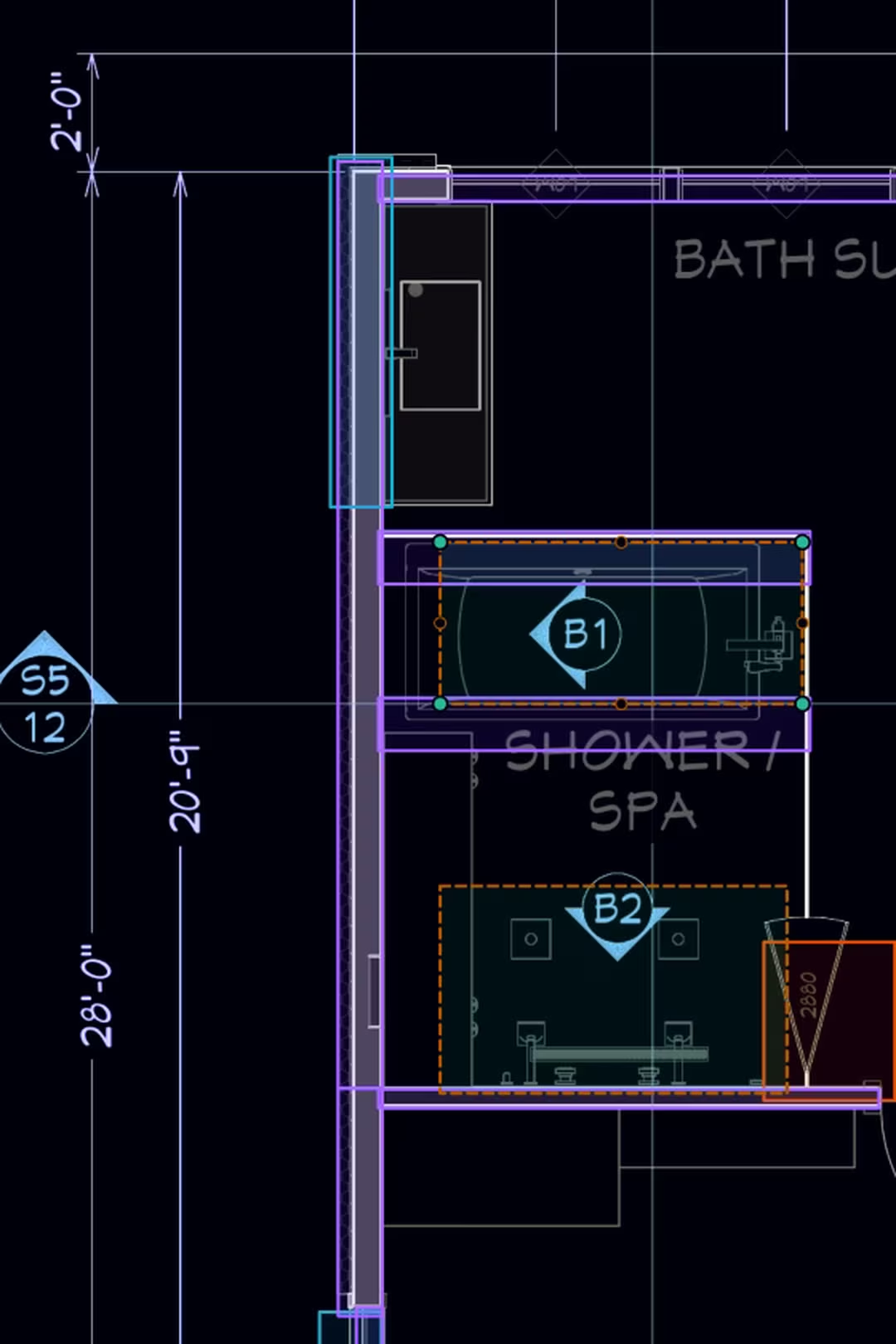
Rooms, doors, windows, walls: counted from your sheets into bid-ready quantities.

Here is the review queue. Clear it yourself.
Two of these five rows are flagged. Accept or reject them with A and X; the other three were counted without you. Every AI wire route stays editable the same way.
Three vendors in this category advertise a figure in the high nineties. We went looking for where those numbers come from and for anyone who has measured one independently. That search is why every Bildrix count shows its confidence instead. Read the research →

Counts become a priced bid, and every price says whose it is.
Your assemblies apply themselves to what was detected; where your library is silent, the AI drafts a price and says so on the line. You confirm the tagged few, and the client signs the exact revision from one link.

Built for the estimator whose name goes on the bid.
Commercial or residential work bid from plan sets, at any size of shop, where a device missed on sheet 34 becomes work you perform and never bill. If that's you, this was built around your Tuesday. Electrical subs and general contractors both fit, whatever their size. Built for US and Canadian projects: USD subscription, NEC or CEC references by job site, plans in imperial or metric units.
1:50, recorded from the app.
Sound on. Captions if you can't.

One thread, start to signed.
A plan set lands on a Thursday.
TI job, bid due Monday. You drop the PDF in; every sheet renders, takes its name from its own title block, and joins the set.

First pass, while you set up the bid file.
When you come back, the rooms, doors, windows and walls are counted and named. You haven't clicked a symbol.
A handful of flags, not the whole set.
The counts it isn't sure of wait in the review queue. You clear them with A, X and Tab. Everything else stays counted.
One run drawn, the rest suggested.
Switch legs, receptacle chains, homeruns: the AI drafts them, footage reading out as you review. One route takes the long way, so you drag it.

The bid goes out with its sources attached.
Your assemblies price the counts; the AI drafts the prices your library doesn't hold and tags each one as its own. Every line names the sheet it came from, so the question on Monday's call has an answer.
Two weeks later, revision B is signed.
The client signs the exact revision from a phone. The change order and the invoice draw on the same numbers; nothing is retyped.

The trades Bildrix takes off today.
If it isn’t listed here, Bildrix doesn’t take it off yet.
Rooms, doors, windows, walls
Detected at upload, named from the drawing's own labels, measured in SF, EA, and LF, and priced through your assembly library.
The deepest trade
Legends read, devices counted, wire runs drawn or AI-suggested with live footage, panel schedules read into an editable Panel Editor, circuits grouped. Devices and wire get their own ledger.
Fixture counts, on demand
Fixture detection runs when you ask: one button, or part of Detect All. Counts land in the takeoff like any other quantity.
Draw a run, or let AI suggest the whole circuit.
Wire runs snap to devices and elbow orthogonally, with a live footage readout as you draw. AI drafts switch legs, receptacle chains, and homeruns. You review them A, X, Tab, and drag any accepted route like you drew it yourself. Devices and wire land in their own ledger rows.
Takeoff tools stop at quantities. Bildrix keeps going: the estimate, the signature, the change order, the invoice. One thread from plan set to invoice.
Priced while you review. Tagged where it guessed.
The review queue's rule carries into the money: nothing enters the bid unmarked.
Assemblies from your price book apply themselves to the rooms, walls, doors and windows Bildrix detected, and re-apply when a sheet changes. Counted electrical devices price from a built-in catalog until your own rows replace them. Your item always beats the built-in one.
The AI looks up a price for the job site's market and writes it on the line as an AI-estimated price. It is a draft to confirm with your vendor; the tag stays until you replace the number.
When a wall type or finish has no assembly anywhere, the AI reads the sheet's own legend, notes and schedules, writes the assembly (studs, plates, sheathing, fasteners, labor), prices it, and marks the whole thing as its own work.
Library price, AI-estimated price, AI-estimated quantity: three tags, never blended. Price and quantity are separate claims, so a measured count can carry a drafted price and say so. The client view hides cost and margin either way.
Your numbers, our arithmetic.
What first-pass counting costs you per month. Formula shown, nothing promised.
bids/mo × estimating hrs/bid × loaded $/hr = cost at stake · your inputs never leave this page
What happens to your documents.
Bid sets are competitively sensitive.
Your plan sets stay in your workspace, stored in Amazon S3. Remove a project from your workspace whenever you choose.
Detection runs through enterprise AI APIs under terms that exclude training on your data. Your plans never train AI models.
Client view structurally hides cost and margin columns. The shared page and PDF render from it, so margin can't leak.
The signed PDF is rendered once at signing, sealed and SHA-256 fingerprinted, bound to the exact revision signed. Every later download serves those same bytes.
No SOC 2 audit yet, and we’d rather say so than imply one. Ask us anything about data handling at support@bildrix.com.
Everything Bildrix does today, stated per line.
The questions estimators actually ask.
How accurate is it?
We don't quote an accuracy number. Every detection carries a confidence level: sure things render solid, uncertain ones are flagged and queued for review. You verify the flagged minority instead of re-checking the whole sheet. Why no number: the research →
Which trades does it cover?
Architectural quantities (rooms, doors, windows, walls), electrical in depth (devices, wire runs, circuits, panel schedules), and plumbing fixture counts on demand. If it isn't listed on this page, Bildrix doesn't take it off yet.
Where is Bildrix available?
Bildrix is built for US and Canadian construction projects. It reads plan sets in imperial or metric units and can display quantities in metric and amounts in Canadian dollars in the app. The subscription is billed in USD; electrical references follow NEC or CEC conventions by job site (Québec's Chapitre V included). If you're bidding work outside the US and Canada, Bildrix isn't a fit yet. We'd rather say that here than after you've uploaded a set.
Where are my files stored?
In Amazon S3. A workspace created in Canada keeps its plan sets, page images and exports in AWS's Montréal or Calgary region; every other workspace keeps them in the United States, and you can see which in Settings. Our database and the AI analysis run in the US either way, so this is where your files live, not where every byte is processed. Need to move regions? We run that for you.
What happens to my plans?
We don't train AI models on your plans. Detection runs through enterprise AI APIs under terms that exclude training on your data, and your files stay in your workspace. Remove them anytime.
What if the AI gets something wrong?
You'll see it flagged, not buried. Uncertain detections queue for review, where you accept, reject, or reshape them, and messy scans and sparse sheets are labeled as sparse or hard to read instead of showing confident zeros. Anything the AI misses, you draw or count manually in the same takeoff.
Does it price the estimate, or only count?
Both, in that order. Detected quantities price through your own assemblies first. Where your library has no price, the AI looks one up for the job site's market and tags the line as an AI-estimated price; where nothing in your library fits, it writes the assembly from the sheet's own notes and schedules and tags that too. Tagged lines are drafts to confirm before the estimate goes out, and the tag stays until you replace the number.
What does it cost?
Two ways to pay. Pay as you go: upload a plan set free, every sheet named and scaled, then buy credits for the AI takeoff when you need them. Or Pro covers every project with no credits, priced per seat. Both are explained on the pricing page, no demo call required. See pricing →
What does the free first takeoff actually involve?
You book a call and send a PDF plan set. We run the takeoff and review it together on that call. That's the free offer. It's a working session on your real project, not a slideshow, and we don't promise a turnaround time we haven't earned yet.
How do I start?
Two doors. Book the review call and your first takeoff is free; we walk your own plan set together. Or start free in the app: upload a plan set yourself, every sheet comes back named and scaled, and the AI takeoff runs on credits you buy, or on Pro. Same product either way; the call just adds our eyes.
See it on your plans, not ours.
The thread ends with a sealed, revision-bound estimate your client signed. Yours starts with one plan set and a call.
With your review call · PDF plan sets